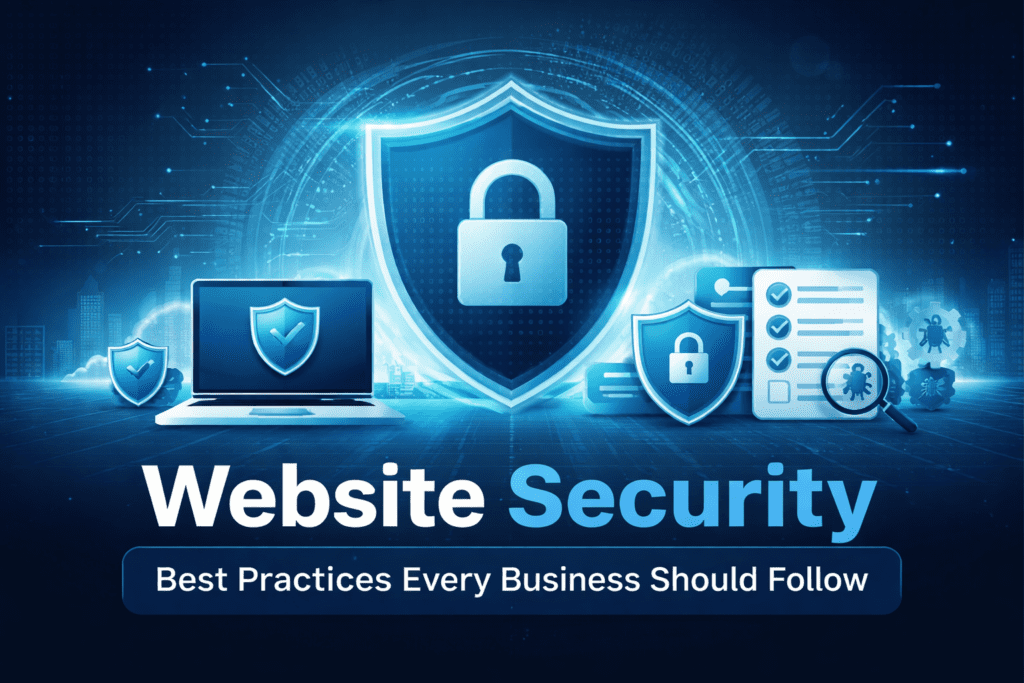
Most business websites get hacked not because of sophisticated attacks, but because of a missed update or a weak password that took a bot three seconds to crack.
Cyberattacks are automated now. Bots continuously scan the internet looking for outdated plugins, misconfigured servers, and unprotected login pages. If a vulnerability exists on your site, it will be found. The good news is that most successful attacks are preventable with a consistent set of practices that don’t require a dedicated security team or an enterprise budget.
Key Takeaways
- ✓ SSL/HTTPS is the baseline — without it, your site data is exposed and Google flags you as not secure.
- ✓ A Web Application Firewall (WAF) blocks malicious traffic before it ever touches your site.
- ✓ Outdated plugins and themes are the most common entry point for hackers on WordPress sites.
- ✓ Multi-factor authentication stops most unauthorized logins even when a password is compromised.
- ✓ Daily automated backups stored off-server are your safety net when everything else fails.
Why Website Security Is a Business Issue, Not Just an IT Issue
A compromised website doesn’t just inconvenience your IT contact. It shuts down your ability to generate leads, damages your reputation with customers, and can trigger compliance issues depending on the data you collect. Recovery costs from a breach, including downtime, remediation, and lost revenue, consistently outpace what it would have cost to prevent the problem.Small and medium businesses are frequently targeted precisely because they’re assumed to have weaker defenses than large enterprises. Attackers aren’t choosing targets manually. Automated tools scan millions of sites daily, flagging anything with known vulnerabilities. Company size doesn’t offer protection. A layered security approach does.Security also directly affects SEO. Google deprioritizes sites flagged for malware and removes pages from results when a site is marked unsafe. Downtime from an attack hurts crawlability. A hacked site that injects spam links can tank domain authority that took years to build.SSL Certificates and HTTPS: The Non-Negotiable Starting Point
Every business website needs HTTPS. SSL encryption creates a secure tunnel between a user’s browser and your server, protecting login credentials, form submissions, and payment information from being intercepted. Without it, that data moves in plain text.Google marks non-HTTPS sites as “Not Secure” in Chrome, which immediately erodes visitor confidence. HTTPS is also a confirmed Google ranking signal. Most hosting providers include a free SSL certificate through Let’s Encrypt, so there’s no reason for any site to be running on HTTP at this point.One additional step worth implementing alongside SSL is HSTS, HTTP Strict Transport Security. Adding the headerStrict-Transport-Security: max-age=31536000; includeSubDomains to your server response forces browsers to always connect via HTTPS, even if a user types the HTTP version of your URL manually. Your hosting or WordPress security plugin can usually handle this with a single toggle.Web Application Firewalls: Blocking Attacks Before They Reach Your Site
A Web Application Firewall sits between your website and incoming traffic, analyzing every request and blocking malicious patterns before they reach your server. It’s one of the most effective single security layers available, and it handles threats your server was never designed to filter on its own.A properly configured WAF blocks SQL injection attempts, cross-site scripting payloads, malicious bot traffic, DDoS floods, and exploit attempts against known vulnerabilities. Services like Cloudflare and Sucuri offer WAF protection at price points that work for small business budgets. For WordPress sites specifically, plugins like Wordfence include WAF functionality that activates at the application level.Not Sure If Your Website Has the Right Protections in Place?
Keep Software Updated: Outdated Plugins Are the Most Common Entry Point
Outdated plugins, themes, and CMS core files are responsible for the majority of WordPress site compromises. When a vulnerability is discovered in a plugin, the developer releases a patch. The problem is that attackers also know about the vulnerability, and they scan for sites still running the old version.
Enabling automatic updates for minor releases handles the routine patching without requiring manual attention. For major version updates, a brief review before applying is reasonable, but delay creates real risk. Any plugin that hasn’t been updated in over a year by its developer should be replaced with an actively maintained alternative. Unused plugins and themes should be deleted entirely, not just deactivated, since their files remain accessible even when inactive.
A weekly maintenance check that reviews your update queue takes less than ten minutes and eliminates one of the most exploited attack vectors on the web.
Login Security: Strong Passwords and Multi-Factor Authentication
Login pages are a primary target because they’re publicly accessible and the reward for a successful attack is full administrative access. Weak passwords compound the problem. Automated tools can cycle through millions of password combinations per minute, and common passwords fall within seconds.
Strong passwords for every account with site access are a baseline requirement. A password manager makes this practical without adding friction. Multi-factor authentication adds the layer that matters most: even if a password is stolen through a phishing attack or data breach, MFA blocks the attacker from completing the login without a second verification step.
For WordPress specifically, limiting login attempts through a plugin like Limit Login Attempts Reloaded reduces brute force exposure. Changing the default /wp-admin login URL adds another layer of friction. These aren’t foolproof, but they significantly raise the cost of a successful attack.
Backups: Your Recovery Plan When Everything Else Fails
No security stack is perfect. Backups are what determine whether a breach costs you an hour of downtime or weeks of lost operations. Daily automated backups stored in an isolated, off-server location are the standard for any active business website.
The backup location matters as much as the frequency. A backup stored on the same server as your site gets compromised alongside it in an attack. Off-site storage through a service like Amazon S3, Dropbox, or a dedicated backup service keeps a clean copy accessible even if your hosting environment is fully compromised.
Testing your backup restoration process matters too. A backup that can’t actually be restored isn’t useful. Running a test restore quarterly confirms that your files are intact and that you know the process before you need it under pressure.
Access Control and User Permissions
Every user account with access to your website represents a potential attack surface. The principle of least privilege means each user gets only the access level their role actually requires. A blog contributor doesn’t need administrator access. A client reviewing content doesn’t need editor permissions on the entire site.
Audit your user list regularly and remove accounts for anyone who no longer needs access. Former employees and contractors are a common source of unintended access that persists long after a working relationship ends. Each unnecessary account is an unnecessary risk.
For hosting and server access, the same logic applies. Review who has FTP, SFTP, and cPanel or server panel credentials. Rotate those credentials when team composition changes.
Security Monitoring and Regular Audits
Security isn’t a one-time configuration. Threats evolve, plugins introduce new vulnerabilities, and site changes can inadvertently open gaps. A consistent review process catches issues before they’re exploited.
Automated malware scanning tools, available through plugins like Wordfence or Sucuri, flag suspicious file changes and known malware signatures without requiring manual inspection of every file. Setting up email alerts for failed login attempts, file changes in core directories, and new admin account creation gives you visibility into activity that warrants a closer look.
A full security audit once per quarter covers user permissions, software versions, backup integrity, SSL certificate expiration dates, and server configuration. Monthly monitoring handles the in-between. This combination keeps security consistent without requiring constant attention.
Frequently Asked Questions
Does my small business website really need all of this?
Yes. Automated bots don’t distinguish between a small business site and an enterprise platform. They scan for vulnerabilities in volume, and a small business with weak security is an easier target than a large company with a dedicated security team. The cost of implementing these protections is significantly lower than the cost of recovering from a breach.
Does HTTPS mean my site is fully secure?
No. HTTPS encrypts data in transit between a user’s browser and your server, which is essential, but it doesn’t protect against malware, vulnerable plugins, compromised passwords, or server misconfigurations. HTTPS is one layer in a multi-layer security strategy, not a complete solution on its own.
How often should I back up my website?
Daily automated backups are the standard for active business websites. If your site has an eCommerce component or captures leads daily, daily backups are non-negotiable. Store backups off-server and test the restoration process at least quarterly to confirm they’re usable when you actually need them.
What’s the easiest first step if my site has no security measures right now?
Start with SSL if you don’t have it, then install a reputable security plugin like Wordfence or Sucuri that provides WAF functionality, malware scanning, and login protection in one package. Enable multi-factor authentication for your admin account. These three steps address the most common attack vectors immediately.
Can a hacked website hurt my Google rankings?
Yes, significantly. Google flags sites infected with malware and can remove pages from search results entirely. Spam link injections from a hack damage domain authority. Downtime from an attack hurts crawlability. A security incident can undo months of SEO progress and take considerable time and effort to fully recover from.
Next Steps: Building a Security Routine That Actually Holds
Start with the basics if you haven’t already: SSL, a WAF, MFA on your admin account, and automated daily backups stored off-server. From there, build a simple maintenance routine that covers plugin updates weekly, a user access review monthly, and a full security audit every quarter. Security doesn’t require constant attention if the right systems are in place, but it does require consistency. One missed update or one stale admin account can undo a solid setup.
Want Someone to Handle This So You Don't Have To?
Website security maintenance is one of those things that’s easy to defer until something breaks. We handle plugin updates, security monitoring, backups, and malware scanning for business websites in DFW and nationwide, so you can stay focused on running your business instead of worrying about whether your site is protected.