If your website loads slowly, most people won’t email you to say so. They’ll just leave. The same is true for a page that jumps around as it finishes loading, or a button that feels unresponsive the moment you press it. None of that shows up in your analytics as a complaint. It shows up as a visitor who never quite makes it to the form you were waiting for.
That is where Core Web Vitals can help. Core Web Vitals is Google’s set of three concrete measurements for what visitors actually experience: how fast the main content appears, how quickly the page responds to a click or tap, and how stable the layout stays while it loads. In this guide, we’ll explain what the three metrics mean, how to read your real numbers from Google’s tools, and how to fix the issues that most commonly affect them without getting lost in number-chasing.
Key Takeaways
- ✓ Core Web Vitals measure what visitors actually feel: load speed (LCP), responsiveness (INP), and visual stability (CLS).
- ✓ Google’s “good” targets (LCP ≤ 2.5s, INP ≤ 200ms, CLS < 0.1) are judged at the 75th percentile of real visits.
- ✓ Page experience is a tie-breaker ranking signal, not a guarantee; conversion and trust payoff more than the score itself.
- ✓ Trust field data (PageSpeed Insights, Search Console) over one-off lab scores to know where you actually stand.
- ✓ Most slow-site problems come from a few fixable causes, including hosting, images, render-blocking scripts, and third-party bloat, rather than a redesign.
Why speed and stability matter for a business website
“Slow website” isn’t an aesthetic complaint. It’s a trust and conversion problem. When a page takes several seconds to show anything meaningful, a visitor assumes the site is broken or unprofessional, and they leave before you ever get a chance to make an impression. When elements shift and buttons move under a cursor, people mis-click or give up. Over a year of steady traffic, those micro-frustrations are real lost leads, even when nothing about the page “looks bad” in a screenshot.
The good news: on WordPress and most small-business sites, a large share of that pain traces back to a small set of fixable issues. It rarely requires a full redesign.
What Core Web Vitals actually measure
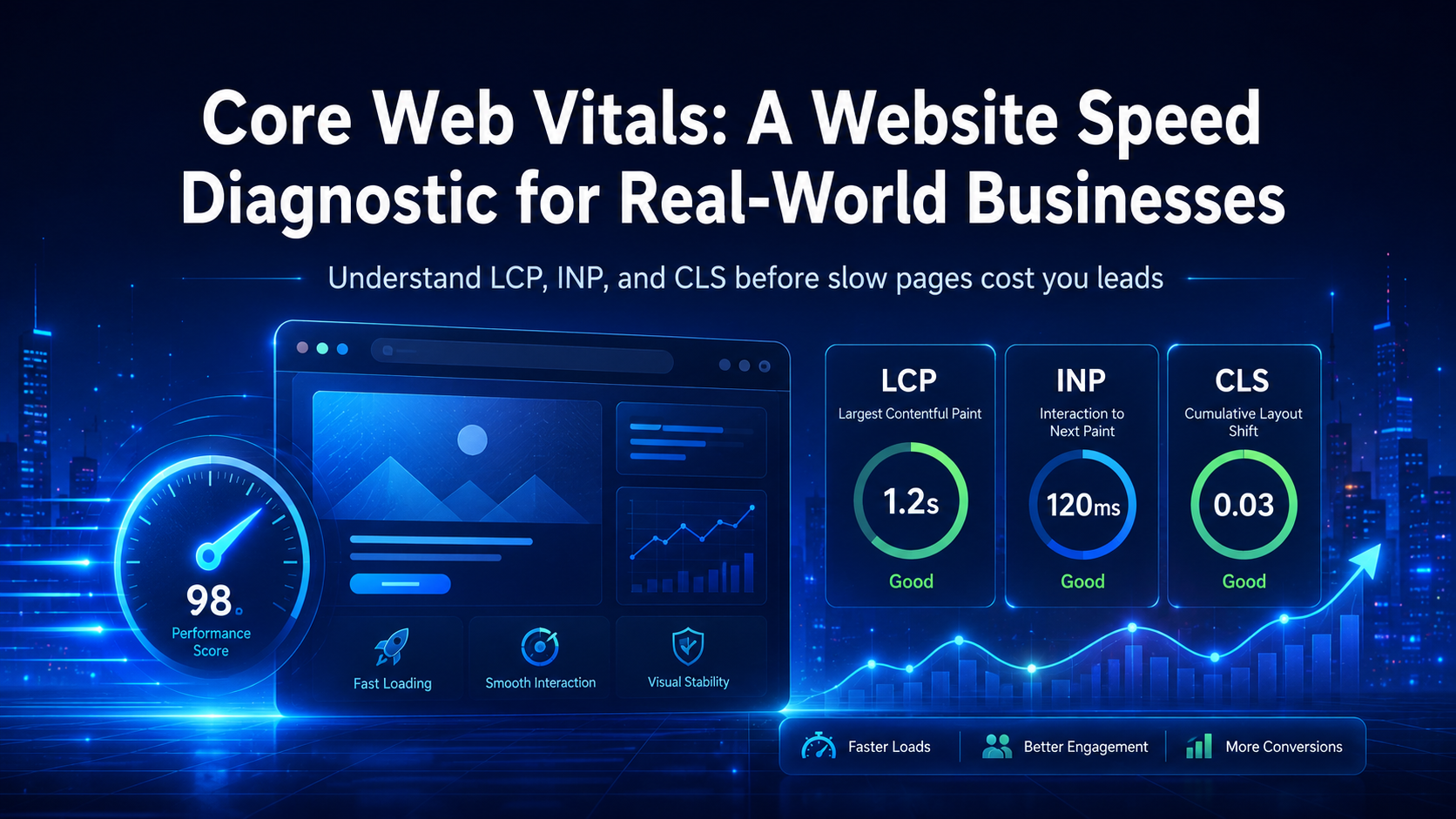
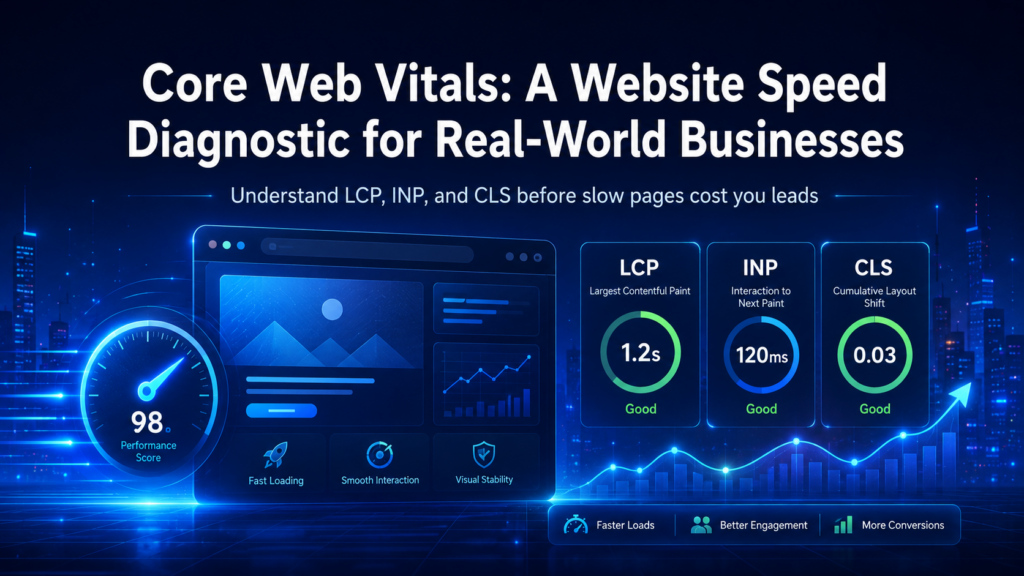
There are three Core Web Vitals, and each points at a different part of the user experience. Google’s recommended targets are measured on real visitors, at the 75th percentile, on mobile and desktop separately:
- Largest Contentful Paint (LCP): how long it takes for the largest visible element above the fold (usually a hero image or headline) to load. Good is ≤ 2.5 seconds. Any slower, and a visitor may stare at a nearly empty page long enough to assume the site is broken.
- Interaction to Next Paint (INP): how responsive the page is when someone clicks, taps, or types. Good is ≤ 200 milliseconds. This metric replaced the older FID in 2024 because it measures responsiveness across interactions, not just the first, which gives a better picture of how the site actually feels.
- Cumulative Layout Shift (CLS): how much the layout shifts while the page loads. Good is below 0.1. When an image loads late and pushes the button you were about to click, that’s layout shift. Once you notice it, it is hard to ignore.
These are real-world, field-level numbers. Google collects them from actual visitors in a browser rather than from a lab and evaluates them at the 75th percentile, meaning 75% of real visits should hit the target. The authoritative definitions and thresholds live on Google’s web.dev.
An honest note about rankings
Core Web Vitals are part of Google’s “page experience” picture, and page experience is only one of many ranking signals. In practice, Core Web Vitals are best treated as a lightweight signal. They can help in a close comparison, but they are not a magic fix that will move a site to page one on their own.
The reason speed still matters has nothing to do with a ranking formula: it’s the difference between a visitor who trusted you enough to stay and one who bounced on instinct. For a small business that runs on leads, a page that’s a little faster and a little more stable meaningfully changes how many people reach out. Don’t expect a Core Web Vitals change to move you to page one by itself. Its real value is improving the visitor experience and giving more of those visitors a chance to convert.
Read your real numbers, not assumptions
There are two types of performance data, and you should know the difference:
- Lab data (PageSpeed Insights / Lighthouse) is a synthetic test run from Google’s servers on a simulated device. It’s useful for pinpointing specific offenses, but it doesn’t reflect what your traffic actually experiences on real phones and connections.
- Field data reflects what real visitors experience. It is collected from actual users at the 75th percentile over roughly 28 days, and it is the data Google uses to decide whether a page passes.
Start with field data to see where you actually stand, then use lab data to find the cause. Run PageSpeed Insights on your homepage and top landing pages and you’ll get both. The Search Console “Core Web Vitals” report does the same across your whole site over the last 28 days, sorted into “poor,” “needs improvement,” and “good” buckets. It is one of the clearest places to spot pages that need attention before visitors do.
The common causes: what breaks each metric
Slow, jumpy sites almost always get there through a few root causes. See if any look familiar:
- LCP too slow: a slow server (high time-to-first-byte), often on cheap shared hosting; unoptimized or uncompressed hero images; render-blocking CSS or JavaScript; web fonts that block first paint.
- INP too high: JavaScript that saturates the main thread after load; heavy third-party scripts (chat widgets, tracking, tag managers); overbuilt carousels or animation libraries doing more than the page needs.
- CLS too high: images without reserved dimensions; layout injected above the fold by ads, banners, or late-loading embeds; font swapping that reflows text after the user has started reading.
A large share of “slow website” problems on WordPress and small-business sites comes from three or four of these issues, not a broken codebase. Compress and resize images, defer or remove render-blocking work, give elements explicit dimensions, and move third-party scripts off the critical path. That alone brings many sites into the “good” range.
A prioritized fix roadmap, not a buffet
The failure mode of speed work is doing a little of everything and seeing nothing change. Do it in order instead:
- Measure where your numbers stand today. Pull field data for the three to five pages that matter most, including the homepage and your top landing pages. Write down the starting point.
- Fix the biggest lever first. Usually that means a slow host or oversized images, two of the most common ways to improve LCP without adding more code.
- Address root causes, not symptoms. Real caching, properly compressed images, and deferring render-blocking work are better than stacking another “speed plugin” onto the page. Extra code can create its own performance and security problems.
- Question heavy functionality. Before optimizing an expensive widget, ask whether you actually need it. Removing a script is the most durable optimization there is.
- Re-measure in the field after a few weeks. A one-off lab score tells you almost nothing. You want real field data trending green, confirmed in Search Console.
What not to do
A few warnings worth taking seriously:
- Don’t worship a score. A perfect 100/100 on a synthetic lab test in a clean browser tells you nothing about revenue. “Good” thresholds are enough; anything past that is usually wasted effort.
- Don’t stack plugin after plugin. One for caching, another for lazy-loading, and another for fonts can create overlap and conflict. Together they may hurt responsiveness (INP) while adding maintenance work and security exposure. Fewer, well-chosen mechanisms are usually better.
- Don’t strip your product to make it fast. A lightning-fast page that can’t actually do what the customer needs, whether that is booking, requesting a quote, buying, or making contact, is still a dead end.
- Don’t treat speed as your only SEO lever. Core Web Vitals are a tie-breaker, not the whole game. They earn you a chance to be seen; content, relevance, and credibility hold the visit afterward.
When to bring in help
A genuinely fast, stable site stays that way only if someone is watching field data over time, keeping hosting, images, and third-party scripts in check, and reviewing the approach before each new redesign, marketing push, or feature change. That discipline is part of Viewpoint’s ongoing WordPress management and one-time website audits. The goal is a clear assessment of what is actually broken, followed by a prioritized list you can act on.
If this starts to feel like a rabbit hole of caveats and infrastructure, you should not need to become a performance engineer just to run a business website. What matters is getting a clear read on what is slow, then making the changes that deliver the most improvement with the least risk. For the wider context on making your site crawlable and indexable, see our technical SEO guide, then decide what makes sense for your site.
Not sure where your speed is draining you?
A slow, jumpy website can cost you trust you may never get back, and the cause is often a few fixable issues rather than a full redesign. If you’d rather know exactly what’s wrong than guess, we can audit your site, explain the numbers in plain English, and show you the highest-return fixes first. No jargon-heavy pitch or oversized project, just a clear path forward. Start with a free strategy call.
Find more from ViewPoint in Google Search
Enjoyed this guide? Add ViewPoint Innovations as a preferred source to help you find our articles in Google Search.
Or open Google source preferences