You run a small business in Dallas-Fort Worth, and someone told you that you need “a system.” Maybe it’s a booking tool, a client portal, an inventory tracker, or just a website that finally works. Now you’re staring at three very different roads: pay to build custom software, subscribe to an off-the-shelf SaaS product, or put it on WordPress. Pick wrong and you either overspend on something you can’t maintain, or you outgrow a cheap tool in six months and have to migrate everything anyway.
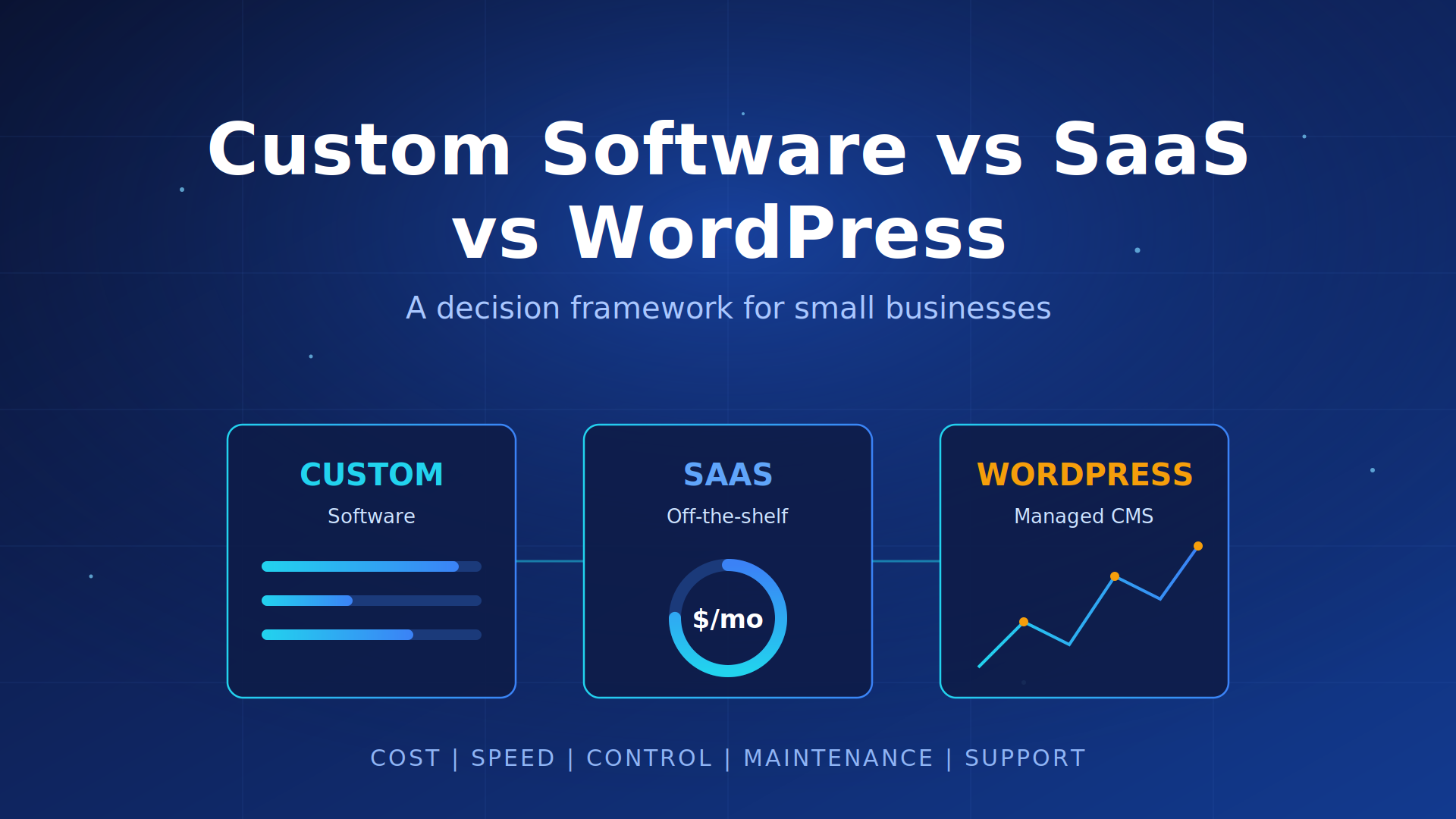
This is a framework for making that call without a computer science degree. We’ll compare the three paths on the five things that actually decide the outcome for a small business: cost, speed to launch, control, maintenance burden, and support. Then you get one repeatable rule you can apply to your own situation today.
Key Takeaways
- ✓ WordPress fits most small-business websites and content-driven sites; it launches fast and you can update it yourself.
- ✓ Off-the-shelf SaaS wins when a proven tool already does the job (booking, invoicing, CRM) and you’re happy to adapt to how it works.
- ✓ Custom software earns its cost only when your process is a real competitive edge or no existing product fits it.
- ✓ The hidden cost is never the build. It’s the maintenance and support you sign up for over the next few years.
- ✓ Start with the cheapest path that can actually run your process, and only move up when it actually blocks you.
Want a straight answer before you spend a dollar?
Picking between custom software, SaaS, and WordPress is easier with someone who has built all three. We’ll look at your situation and tell you which path fits, with no pressure to buy a build you don’t need. Book a free 15-minute strategy call to get pointed in the right direction.
The three paths, in plain terms
Before comparing them, it helps to be precise about what each option really is, because the words get thrown around loosely.
Custom software is code written specifically for your business. A developer builds the features you describe, the way you want them, and you own the result. Think of a patient intake system that matches exactly how your clinic works, or an internal tool that automates a workflow no product on the market handles.
Off-the-shelf SaaS is software someone else already built, that you rent monthly. Tools like a scheduling app, an email marketing platform, or accounting software. You don’t own it and you can’t change how it works, but it’s ready today and someone else keeps it running.
WordPress sits in the middle for websites and content. It’s a content management system that powers a large share of the web, with a huge library of themes and plugins. You get more control than a locked SaaS website builder, without paying to build everything from scratch. On this site, WordPress is our default recommendation for most business websites, and we build fully custom only when the job actually needs it.
Cost: what you pay, and when
Cost is where most owners get the comparison wrong, because they only look at the sticker price and ignore the shape of the spending over time.
SaaS and WordPress are usually low upfront and predictable monthly. A managed WordPress plan can start around $59/mo for updates, backups, and security monitoring, and a SaaS subscription is a fixed monthly fee per user or per feature tier. You can start this month without a big capital outlay.
Custom software is the opposite: a larger upfront investment to build, in exchange for no per-seat rent afterward. On our own service page, WordPress website builds start at $2,500 for a 5-page site and run to $8,500 for advanced e-commerce with custom plugin development, which gives you a sense of where design-and-build budgets land before you get into fully bespoke software. The point isn’t the exact number. It’s that custom trades a bigger day-one cost for lower ongoing rent, while SaaS trades a small day-one cost for rent that never stops. Over three to five years, a SaaS tool with many users can quietly cost more than a one-time build. A tool with one or two users almost never does.
Speed to launch: how fast can you actually use it
If you need something working next week, this factor decides a lot on its own.
SaaS is fastest. You sign up, configure a few settings, and you’re live the same day. WordPress is close behind for a standard business site; most of our website projects launch within one to two weeks for a straightforward build, and a few weeks for larger sites with e-commerce or custom features. Custom software is slowest because it’s being written for you. Even a focused build takes weeks, and a substantial system takes longer, because design, development, and testing all have to happen before you can rely on it.
Here’s the trap: speed to launch and long-term fit often pull in opposite directions. The fastest option to turn on is frequently the one you’re most likely to outgrow. That’s fine if the tool matches your process. It’s expensive if you pick fast, force your business to bend around the tool, and then have to migrate later.
Control: how much can you change it
Control is about who decides how the software behaves, and whether you can adapt it when your business changes.
With SaaS, the vendor controls the roadmap. You get what they build, in the order they build it. If they raise prices, drop a feature, or change how something works, you adapt. That’s the cost of renting. WordPress gives you meaningful control: you own the site, you can switch themes and plugins, you can move hosts, and you can export your content. Custom software gives you the most control of all, because it’s yours. You decide every feature and you own the code.
More control is not automatically better. Control comes with responsibility. A fully custom system that only you can change is powerful right up until the person who built it is unavailable and you need a fix. For a lot of small businesses, “we can change the important things” (WordPress) beats “we can change everything but we’re now responsible for everything” (custom).
Maintenance burden: who keeps it running
This is the factor owners underestimate most, and it’s usually the one that hurts.
SaaS carries the lightest maintenance load for you. The vendor patches security, fixes bugs, and ships updates. You mostly just use it. WordPress needs ongoing care: plugins and themes update, security patches land, backups have to run, and something occasionally breaks after an update. That work is real, which is exactly why managed WordPress plans exist, so you’re not the one doing it at 11pm. Custom software carries the heaviest burden, because every bug, security update, and server issue is yours to handle or to pay someone to handle. There’s no vendor absorbing that for you.
Whatever you build or buy, budget for upkeep as a line item, not an afterthought. The question is never just “what does it cost to launch.” It’s “who fixes it when it breaks, and what does that cost every year after launch.”
Support: who you call when it breaks
When something stops working during business hours, support is the difference between a ten-minute fix and a lost day.
SaaS support is the vendor’s help desk, and quality varies a lot by product and plan tier. You’re one of many customers. WordPress support depends on your setup: the open-source community and plugin authors for general issues, or a management partner who knows your specific site and answers directly. Custom software support is whoever built it, which is a strength when that relationship is solid and a serious risk when it isn’t. If one freelancer holds all the knowledge and moves on, you can be stuck.
For a non-technical owner, the practical question is simple: when this breaks, do I know exactly who to call, and will they actually know my setup? A named partner who responds beats a faceless queue, and both beat “the developer who built this stopped answering emails.”
Rather not guess who fixes it later?
The path you pick decides who keeps your software running for years. We build on WordPress for most businesses, recommend the right SaaS when it fits, and take on a custom build only when it earns its keep, then support what we ship. Book a free strategy call and we’ll help you avoid the maintenance trap.
The decision rule you can actually apply
Here’s the repeatable rule. Work down this list and stop at the first “yes.” That’s usually your answer.
1. Is this mainly a website or content-driven site? Use WordPress. It’s built for exactly this, you can update it yourself, and it scales from a 5-page site to a large content operation. Don’t pay to custom-build a marketing site.
2. Does a proven off-the-shelf tool already do this job well, and can you live with how it works? Use SaaS. If a booking, invoicing, or CRM product already solves your problem and you’re willing to adapt to its workflow, renting it is faster and cheaper than building. Don’t reinvent scheduling software.
3. Is this process a real competitive advantage, or does no existing tool fit it? Now custom software makes sense. If how you do the work is part of why customers choose you, or if you’ve honestly looked and nothing on the market fits, a build pays off. This is the smallest bucket, and that’s correct.
One more guardrail: start with the cheapest path that can actually run your process, and only move up when it actually blocks you. Overbuilding is the most common and most expensive mistake a small business makes with software. You don’t earn points for owning custom code. You earn them for running a business your team can actually operate and support.
Frequently asked questions
Isn’t custom software always better if I can afford it?
No. Better means “fits your business and you can run it,” not “most expensive.” A custom system you can’t maintain is worse than a SaaS tool that just works. Pay for custom when your process needs it, not to feel like you own something.
Can WordPress handle more than a marketing website?
Often, yes. With the right plugins it runs blogs, e-commerce, membership sites, and booking. For many small businesses it covers the website and a few workflows without touching custom code. When a job outgrows plugins, that’s the signal to look at SaaS or a custom build for that specific piece.
What’s the real risk with off-the-shelf SaaS?
Two things: price changes over time as you add users, and lock-in. You’re renting on the vendor’s terms, and getting your data out later isn’t always easy. Before you commit, check how you’d export your data if you left.
How do I avoid overbuilding?
Write down the specific problem in one sentence, then find the cheapest option that solves that exact sentence. If a monthly tool does it, start there. Build custom only when you can name a concrete reason an existing option fails you.
What if I pick wrong and outgrow it?
That’s normal, and it’s cheaper than overbuilding upfront. Starting on WordPress or SaaS and moving up later means you only pay for the bigger solution once you actually need it, with real usage to guide the build. The costly mistake is the reverse: paying for custom before you know what you need.
Can you help me decide for my specific business?
Yes. A short strategy call is usually enough to point you at the right path, whether that’s WordPress, a SaaS tool, or a custom build. We’ll tell you honestly if you don’t need us to build anything.
Not sure which path fits your business?
Most owners overbuild or outgrow their software because they picked before they had a framework. We help small businesses choose between WordPress, off-the-shelf SaaS, and a custom build, then handle the work so you can run it. Book a free 15-minute strategy call and we’ll map the right path for your situation.
Find more from ViewPoint in Google Search
Enjoyed this guide? Add ViewPoint Innovations as a preferred source to help you find our articles in Google Search.
Or open Google source preferences